How-to · Published 2026-10-30 · Updated 2026-10-30 · 4 min read
How to Make Instagram Carousels With Claude
To make Instagram carousels with Claude, give Claude a topic and an audience, have it write one idea per slide, then render the slides from code as 1080x1350 images instead of asking a chat window to draw them. Code-rendered slides keep text sharp and keep a whole batch consistent.
What do you need to make a carousel with Claude?
You need Claude Code on a paid Claude plan (Pro or higher), Node.js 20 or newer, and an internet connection for setup. FFmpeg is only needed when you also want reels. Claude does not draw pixels in this workflow. It writes the plan, and a renderer on your own computer turns the plan into PNG files.
Why render slides from code instead of asking for an image?
A chat window that generates pictures has to guess every letter, and it guesses differently each time, so a batch of ten slides drifts. HTML and CSS draw text exactly as written, with the same fonts, margins and colours on every slide. That is why our renderer moved off ffmpeg text drawing, which could only place text on a flat image, to HTML rendered in a headless browser.
Original data. In our first renderer test, HTML slides took about 279 ms each against about 66 ms for ffmpeg text drawing: slower per slide, but only HTML could do gradients, real type hierarchy and big-number layouts. In our earlier design pipeline we also made contrast a build gate: 3 of 8 hand-invented colour themes failed the 4.5:1 WCAG ratio, one at 2.47:1, even though they looked fine on a bright monitor.
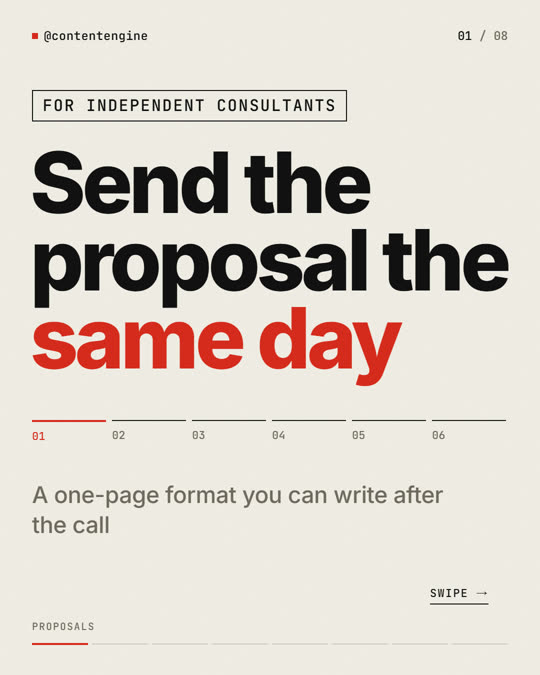
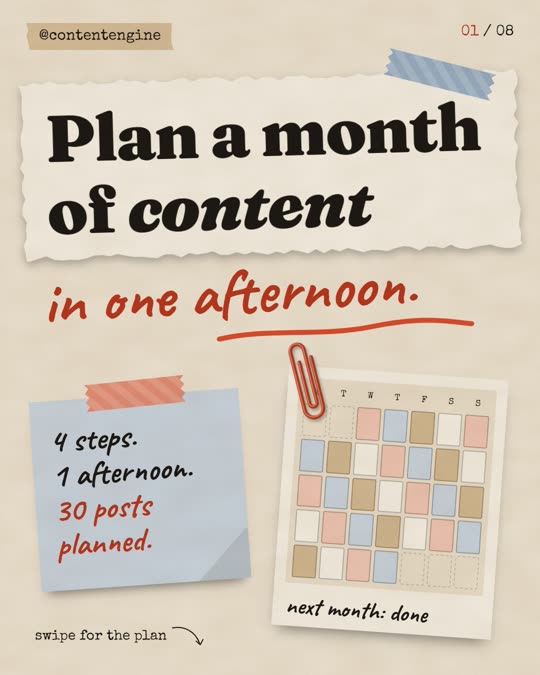
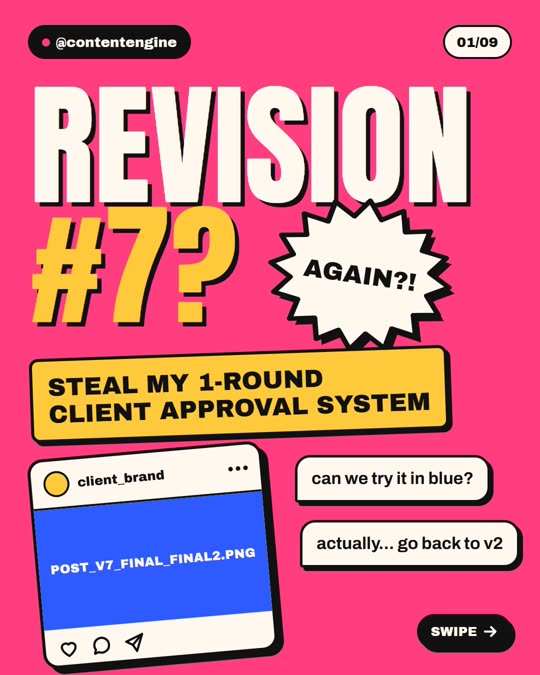
Three real covers rendered by the engine from plan files: Swiss minimal, paper scrapbook and loud flat colour. Same code path, different style files.
What are the steps?
- Pick one audience. Tell Claude who the slides are for and what they already believe. A narrow audience gives sharper hooks.
- Ask for ideas, not slides. Have Claude list 10 ideas and pick one. One idea becomes one carousel.
- Write one point per slide. The cover states the promise, each inside slide carries one point, the last slide asks for one action.
- Make slide 2 stand alone. Adam Mosseri has said that when someone sees a carousel and does not swipe, Instagram often gives it a second chance by showing the second item (reported by CC Startup). Do not open slide 2 with "And" or "But".
- Choose a look. Pick a ready style or describe one. Keep it for the whole page, because consistency is how followers recognise you.
- Render, then look at the output. Open the images. Check for clipped words and low contrast before anything is posted.
- Write the caption separately. The caption should carry what the slide cannot hold, not repeat it.
How long does rendering take?
On our test PC a carousel renders in about 2 seconds and a reel in about a minute. Slower computers take longer, and we have only tested on Windows. Instagram allows up to 20 items per carousel (MacRumors, 2024), though most carousels we measured were far shorter; see carousel size and slide count.
What are the limits of this approach?
- It needs a paid Claude plan, and large batches count toward that plan's usage limits.
- Setup installs a few free tools and takes 20 to 30 minutes once.
- It makes files. You still upload or schedule them yourself.
- Nothing here promises reach, followers or income. A well-made slide does not guarantee anyone sees it.
Frequently asked questions
Can Claude make the carousel images directly?
Claude writes the plan and the copy. The slide images come from a renderer that runs on your computer, because code draws text exactly while image generation guesses it.
Do I need to know how to code?
No. You tell Claude what you want and approve each command it runs. You do need a paid Claude plan, Node.js and a one-time setup of roughly 20 to 30 minutes.
Does Claude post the carousel to Instagram for me?
No. The Content Engine outputs PNG slides and a captions file. You upload them or drop them into your own scheduler.
What size should the slides be?
The engine renders 1080x1350 pixels, a 4:5 portrait slide. The measured sizes of 1,064 real slides are in our carousel size guide.
The Content Engine researches a niche, writes post ideas and renders carousels (PNG) and reels (MP4) on your own computer. USD 67 one time, 14-day refund. It needs a paid Claude plan (Pro or higher), Node.js and FFmpeg, and we have tested it on Windows only.
See the Content EngineSources and our data
- MacRumors, 8 Aug 2024: Instagram allows up to 20 photos and videos per carousel
- CC Startup, 21 Oct 2024: reporting Adam Mosseri's remark about carousels and the second slide
- Our own data: carousel renderer notes (HTML and CSS versus ffmpeg, contrast gate), 2026-09-28; speed figures from the Content Engine landing page FAQ (our test PC).
Keep reading
Results vary. No promise of views, followers or income. The Content Engine is an independent product, not made or endorsed by Anthropic. Claude is named only as the tool it runs on.